
Call us: (08)9200 6145
support@healthypc.com.au
HealthyPC – KnowledgebaseHealthyPC – KnowledgebaseHealthyPC – KnowledgebaseHealthyPC – Knowledgebase
  • Home
  • About
  • Services
  • Support
    • Help Centre
    • Online Forms
    • Downloads
    • Speed Test
    • Service Status
  • Contact

Install WatchGuard Mobile SSL VPN Software for macOS Devices

  • Help Centre
  • Network & Internet
  • WatchGuard
  • Install WatchGuard Mobile SSL VPN Software for macOS Devices
Table Of Contents
Install WatchGuard Mobile SSL VPN Software for Windows Devices
Next macOS – Using WatchGuard Mobile SSL VPN

Install WatchGuard Mobile SSL VPN Software for Windows Devices

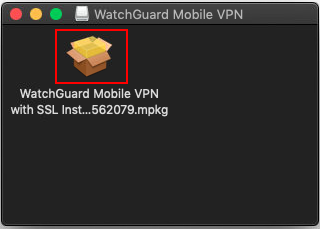
    • Download the latest version of the WatchGuard Mobile VPN with SSL for macOS.
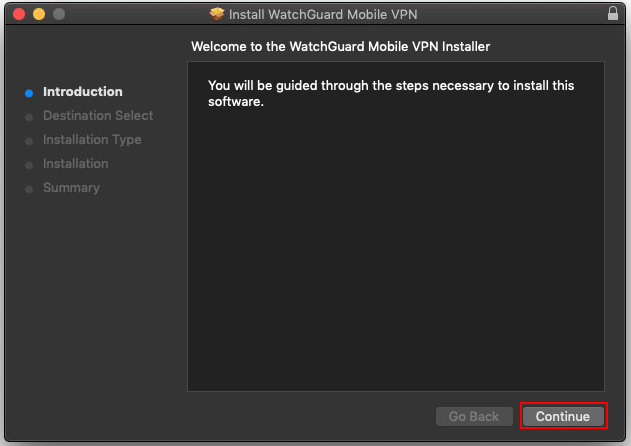
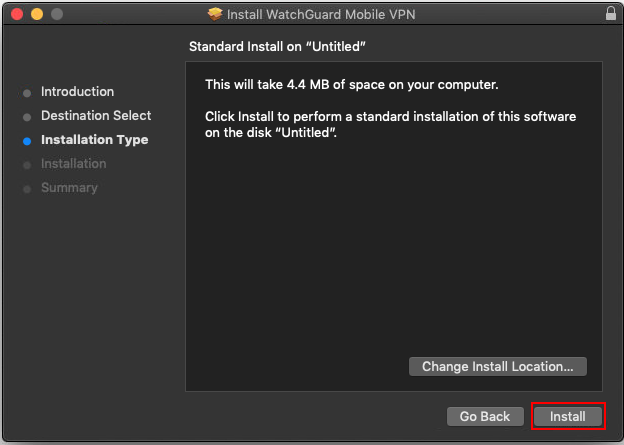
    • Run the Software
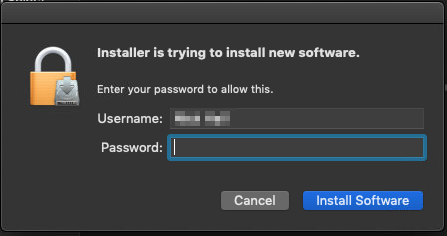
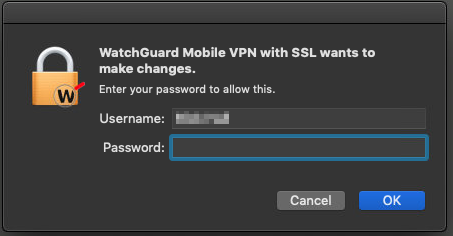
    • If prompted enter your password and select Install Software

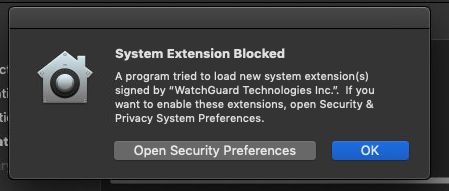
    • If prompted that the System Extension Blocked OK button.

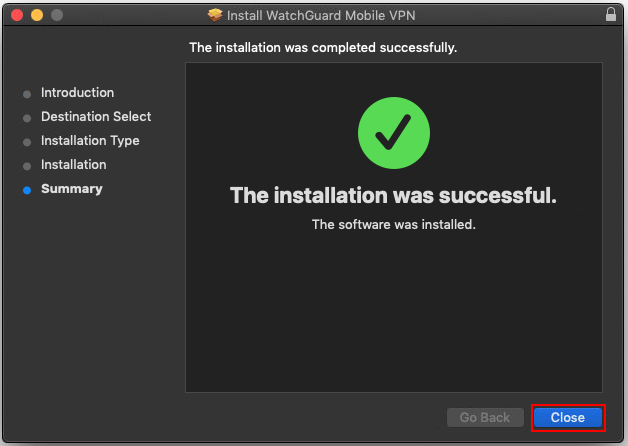
    • once installation is complete press the Close button.
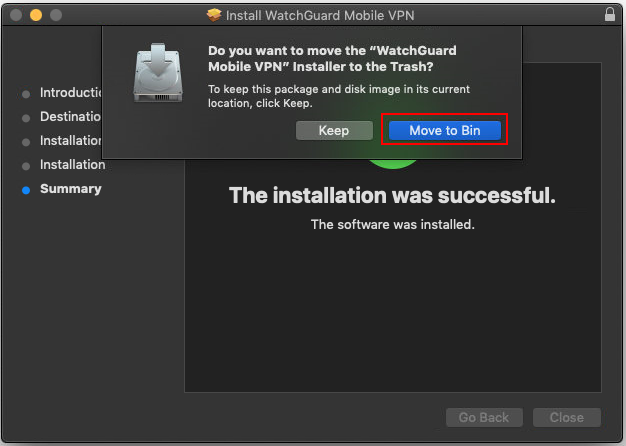
    • Select the Move to Bin button to complete the installation.
    • Select the launch Icon in the desktop menu locate the WatchGuard and open it.
    • When you first open the WatchGuard VP client your Mac will request your password. Enter your password and select OK

    • Next macOS – Using WatchGuard Mobile SSL VPN

Like Dislike
139 views
WatchGuard
Install WatchGuard Mobile SSL VPN Software for Windows Devices
Windows – Using WatchGuard Mobile SSL VPN
Install WatchGuard Mobile SSL VPN Software for macOS Devices
macOS – Using WatchGuard Mobile SSL VPN
  • Downloads
  • HealthyPC Help Centre
    • PassPortal FAQ
HealthyPC – Knowledgebase